
Introduction
BIM and CAD are not competitors — they are complementary tools in today’s project ecosystems.
From early design coordination to fabrication documentation and site execution, choosing the right workflow ensures clarity, reduces errors, and improves delivery timelines.
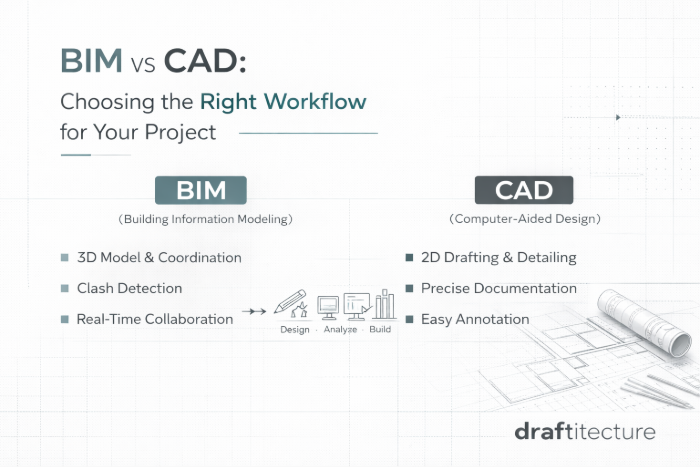
BIM: Collaboration and Coordination
Building Information Modeling (BIM) offers:
- 3D multi-discipline integration
- Clash detection
- Real-time model collaboration
- Visualization and simulation
Best Use Cases:
- Early coordination between architect, structure, MEP
- Large-scale commercial and complex projects
- As-built modeling and facility management
CAD: The Documentation Engine
Computer-Aided Drafting (CAD) excels at:
- Precise 2D documentation
- Shop drawings
- Furniture/joinery detailing
- Landscape plans
- Construction documentation
CAD ensures clear dimensions, annotations, and fabrication references.
When to Use Which
| Phase | Recommended Tool |
|---|---|
| Concept Coordination | BIM |
| Clash Detection | BIM |
| Fabrication Drawings | CAD |
| Detailed Construction Docs | CAD |
| Landscaping Layouts | CAD |
| Structural Integration | BIM + CAD |
Hybrid Workflows: Best of Both Worlds
Many multidisciplinary teams combine BIM and CAD:
- BIM for coordination and conflict resolution
- CAD for precision shop drawings and deliverable documentation
This hybrid approach maximizes clarity and execution confidence.
Conclusion
Good teams don’t debate BIM vs CAD. They choose the right tool for the job — ensuring clarity, reducing unnecessary work, and improving collaboration across disciplines.
Get Professional Support
Whether you need BIM coordination, precision CAD documentation, or a hybrid workflow, our team at Draftitecture specializes in both.
Check out our CAD drafting and BIM modeling services to see how we can support your next project. Learn more about how BIM reduces construction risk across disciplines.
Related reading: Landscape Drafting Mistakes to Avoid